
When the wrong tool gets in the way of good learning design
I often come across courses where I find myself thinking either: “This concept is genuinely engaging, but it could benefit from more tailored and unique interactions,” or “If this were simplified, both the learner and the creator would have a much smoother experience.”
Trying to realize complex interactions within a limited tool often leads to convoluted solutions and forced workarounds that rarely feel intuitive or work well in practice. At the same time, using a powerful tool for relatively straightforward courses can make the production process unnecessarily complicated, while sacrificing the benefits of simpler, more suitable alternatives.
In one case, it’s a bit like trying to move a grand piano with a forklift; it quickly becomes awkward and messy. But bringing in a crane to move a desk chair isn’t exactly efficient either. Both tools can lift things, but the right fit matters more than power. Using this as a guiding principle when choosing your authoring tool makes a significant difference to both the learning experience and the production process.
To decide whether to use Rise or Storyline, we first need to look at the strengths and benefits of each tool. Each solves a different type of problem – and understanding that difference is key.
The benefits of Rise
Rise has several strengths that make it a strong fit for many e-learning projects.
- Fast content creation: As Rise is built around ready-made blocks, layout is already handled for you. It’s quick and easy to fill the blocks with your content and move on to a finished course. AI-powered course drafts in Rise let you upload existing material and quickly generate a structured starting point, while keeping you in control of the final outcome.
- Reaches learners on every device: Rise excels at adapting courses to different screen sizes. As Rise’s blocks are fully responsive by default, your courses will look great on any device out of the box.
- Easy collaboration: Being web-based, Rise has strong collaboration features. You can easily share a course with your team and collaborate on its content.
- Greater flexibility for custom interactions: As Rise now supports creating custom blocks and even embedding your own interactions with custom code, you are no longer limited to the standard blocks whenever you need more interactivity or a custom solution.
The benefits of Storyline
Storyline is a true e-learning powerhouse that shines when you want to build rich custom interactions, scenarios and simulations.
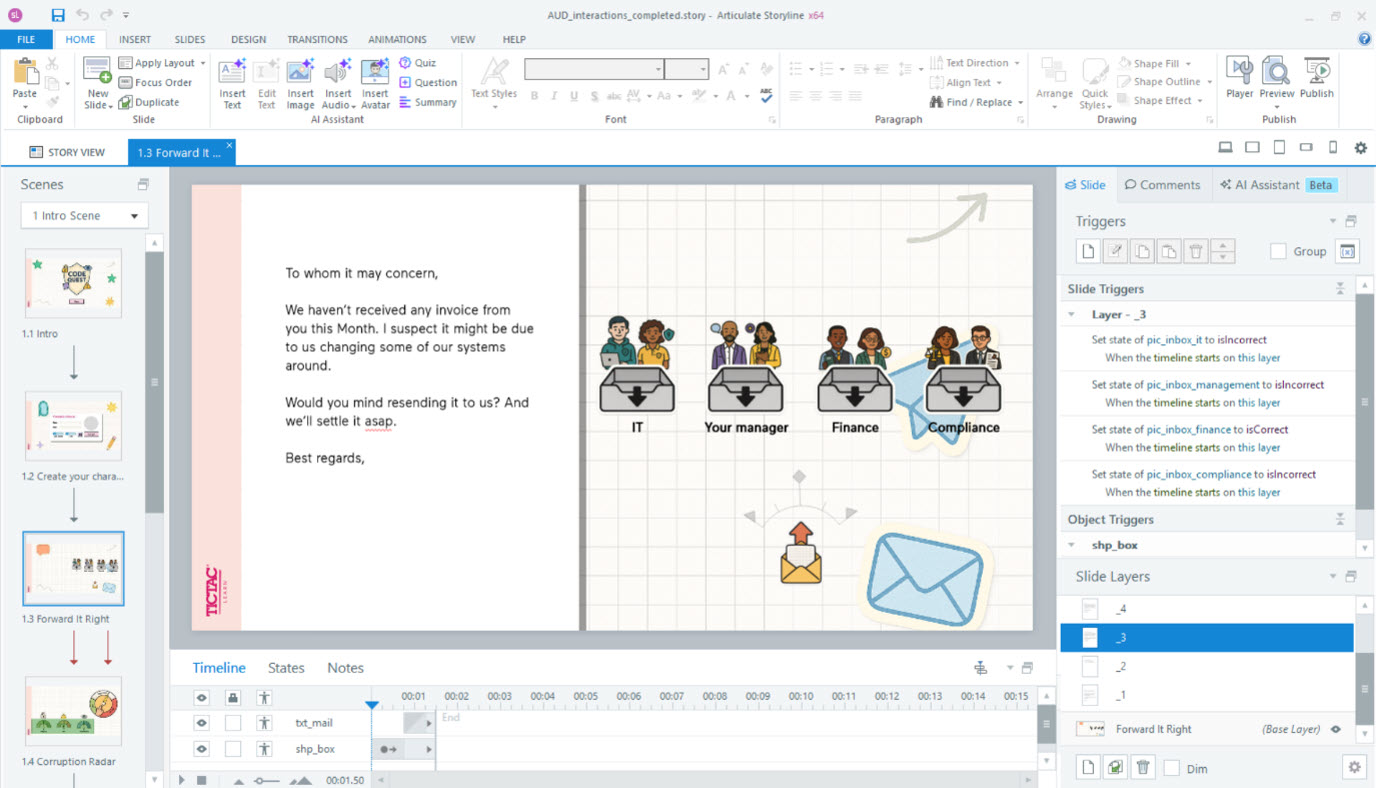
Build almost anything
Storyline is perhaps the most comprehensive e-learning authoring tool on the market. It makes up for its steeper learning curve and a more manual approach than Rise with the freedom to build any type of interaction.
- Great tools for software training and simulations: If you want to create software guides, system-based training or simulations, Storyline is the tool to use. By doing a simple screen recording, Storyline can break it down into a step-by-step flow to either show users how the system works or let them have a go at it themselves.
- Complex scenarios made easy: Where Rise courses follow a set structure, Storyline has excellent support for branching and showing different parts of a course dynamically. As such, it works very well for creating courses with multiple learning paths and interactive scenarios where users see different content based on their choices.
- Make your course uniquely yours: While Rise allows you to apply your branding, it is still guided by predefined blocks and layouts. Storyline takes this further by giving you a blank canvas where you can build exactly what you need. It includes powerful tools for managing text styles and brand colours and lets you create custom templates and reusable layouts.
Which tool best fits your needs?
If you break down the capabilities of each tool and compare them to common e-learning needs, a clearer decision framework starts to emerge:
What type of content will your course contain?
"Text, media and common interactions": Rise.
"Advanced interactions and scenarios": Storyline.
How important is customized interactivity?
"Not so important": Rise is a strong fit.
"Fairly important": Rise with Code blocks is possible. Storyline is a good fit.
"Very important": Storyline is the best fit.
How fast do you need to produce the course?
”Very fast”: Rise.
”Our timeline allows for more complexity”: Storyline.
Does it need to work equally well on mobile?
"Yes": Rise.
"Not so important (mainly desktop-based learners)": Storyline.
Who will build and maintain the course?
"Subject matter experts and/or distributed teams": Rise.
"Instructional designers and/or developers": Storyline.
Answering these questions gives you a solid starting point when deciding which tool to use.
Summary
If you’re still unsure, this simplified summary can guide you:
Rise works best for:
- Information-focused courses (policies, onboarding, processes)
- Quick production timelines
- Courses that have to work well on all devices
- Learners who need access on the go
Example: A compliance course rolled out across multiple regions.
Storyline works best for:
- Interaction-focused courses (Scenarios, software trainings, learning-by-doing)
- Advanced course flows with multiple paths
- Tailor-made interactions or gamified learning experiences
- Assessments beyond standard quizzes
Example: A sales simulation where learners practice handling customer conversations.
A common pitfall is trying to force one tool to solve every problem. Instead, the most effective teams take a step back, match the tool to the need, and use both strategically when it makes sense.
In many cases, the best solution isn’t choosing one over the other, but combining them. Storyline blocks allow you to embed custom interactions directly into a Rise course. This is often where the real value lies: using Rise for structure and scale – and Storyline for the moments that require deeper interaction.
FAQ
What is the difference between Rise and Storyline?
Rise is designed for fast, responsive, content-focused courses, while Storyline is built for creating advanced interactions, scenarios and highly customized learning experiences.
When should I use Rise instead of Storyline?
Use Rise when you need to create content quickly, ensure a strong mobile experience or build information-heavy courses like onboarding or compliance training.
Can you combine Rise and Storyline in one course?
Yes. You can embed Storyline interactions inside a Rise course, combining structured content with more advanced interactive elements.