
Teams across the organization can now convert existing content into video without needing traditional animation or production skills.
For learning and development professionals, however, this raises an important question. Many are already familiar with Vyond Studio, the traditional animation and video creation tool that has long offered the flexibility and control needed to build tailored learning experiences.
So when should L&D professionals use Vyond Turbo – and when is Vyond Studio the better choice?
The answer depends less on the tool itself and more on what learners need to achieve. Understanding that difference is key to choosing the right workflow for the right situation.
Vyond Turbo and Vyond Studio: Two workflows, two different strengths
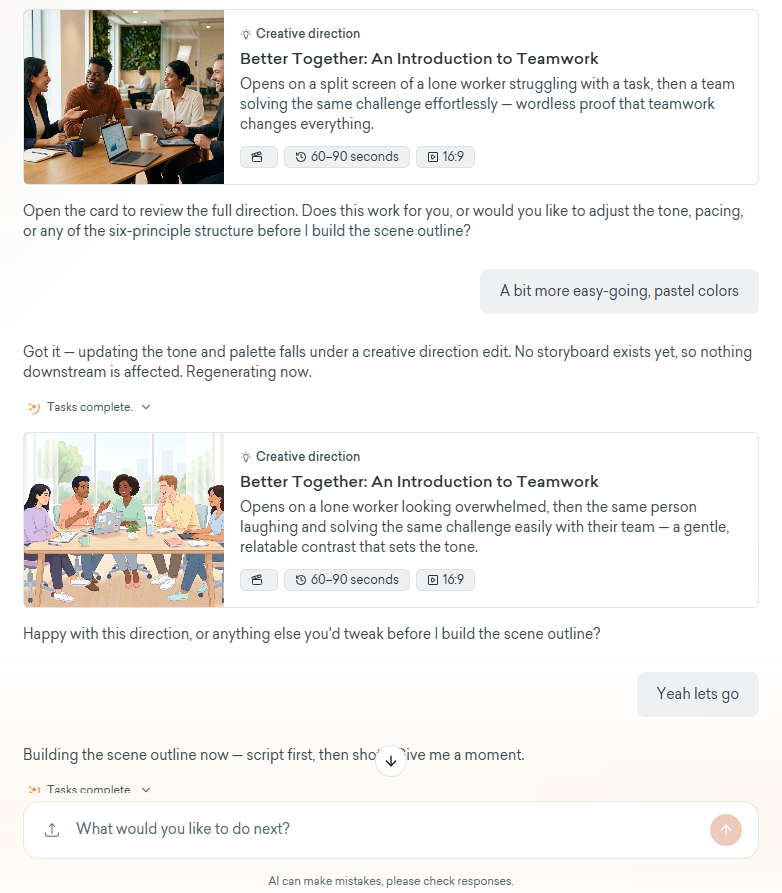
Vyond Turbo’s command-driven style lets you describe the video you need to a chatbot and add any files to use as reference. Turbo will then suggest a creative direction that can be further refined through conversation. From there, it can generate a complete video. And if you want additional changes made – to visuals, audio, on-screen text – you can ask Turbo’s AI to make those adjustments as well.
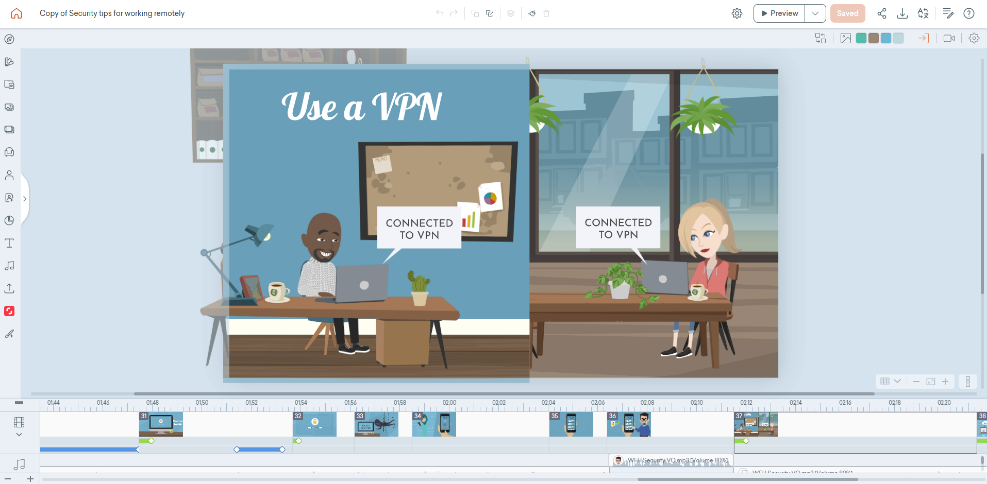
Vyond Studio on the other hand, has a more manual workflow and provides more precise creative control over visual assets, characters and audio. This level of control is especially important for creating training content that features specific scenarios and storytelling, fits stringent brand standards and can be reliably edited and updated for various audiences. When deciding what to use in an L&D context the fundamental question you should ask yourself is: “What is the learner supposed to do after watching this video?”
The key is recognizing that both tools from Vyond are designed to solve different challenges.
Would you like to learn the fundamentals of Vyond Studio? Book your place on our virtual training course.
When Vyond Turbo makes sense
Turbo is particularly effective when L&D teams need to quickly transform existing training materials, policies and organizational knowledge into engaging videos, without extensive manual production. Whether introducing a new policy, explaining a process or reinforcing important concepts, Turbo helps teams communicate information clearly and consistently.
By reducing the time and effort required to produce videos, Turbo allows L&D professionals to focus more on learning outcomes and less on production. When rapid content creation and scalability are priorities, Turbo offers a powerful alternative to traditional video creation workflows.
When Vyond Studio makes sense
Consider a leadership conversation where a manager must address poor performance or provide difficult feedback. Small details in wording, timing and context matter. In these situations, Studio gives designers the control needed to shape the experience intentionally.
Here, success depends on getting the details right. Small compromises in context, sequencing or realism can reduce the impact of the learning experience.
The same applies to scenario-based learning, complete compliance scenarios and leadership development, where learners need to practice judgement, interpret context and make decisions rather than simply absorb information.
In the end, the choice comes down to how much instructional design control the learning experience requires. The more important the learning design becomes, the more valuable creative control becomes.
L&D in the age of agentic AI video creation
Agentic AI can be a valuable addition to the L&D toolkit. It can reduce routine production work, turning content such as policy updates, process explanations and document summaries into videos in a fraction of the time. This allows learning professionals to focus their effort where it adds the most value: shaping experiences that require nuance, judgement and careful design. But regardless of how much AI can speed up and streamline creation, it's crucial not to lose sight of what matters most: the learning outcome.
Speed is good, but while AI can generate content, it cannot own the learning outcome. Learning professionals remain responsible for ensuring accuracy, accessibility, relevance and effectiveness.
The most successful L&D professionals won't be the ones who use AI for everything. They'll be the ones who can recognize when speed is enough, when learning design requires greater control – and choose the workflow that best supports the learner.
FAQs: Vyond Turbo vs. Vyond Studio
What is the difference between Vyond Turbo and Vyond Studio?
Vyond Turbo uses an AI-driven workflow where users describe the video they want and the platform generates it automatically. Vyond Studio uses a more manual workflow, giving creators direct control over scenes, characters, props and animations. The main difference is the balance between speed and creative control.
When should instructional designers use Vyond Turbo?
Vyond Turbo is often the best choice when the goal is to communicate information quickly and efficiently. Examples include policy updates, process walkthroughs, document summaries and internal announcements where speed and clarity are more important than detailed instructional design.
When is Vyond Studio a better choice for eLearning than Vyond Turbo?
Vyond Studio is typically the better option when learning outcomes depend on context, nuance and learner decision-making. Scenario-based learning, leadership training, compliance topics and behaviour change initiatives often benefit from the additional control and customization Vyond Studio provides.
Want to talk more about this?
Want to read more on similar topics?
How to create a Vyond video for e-Learning in under a day - COMING SOON